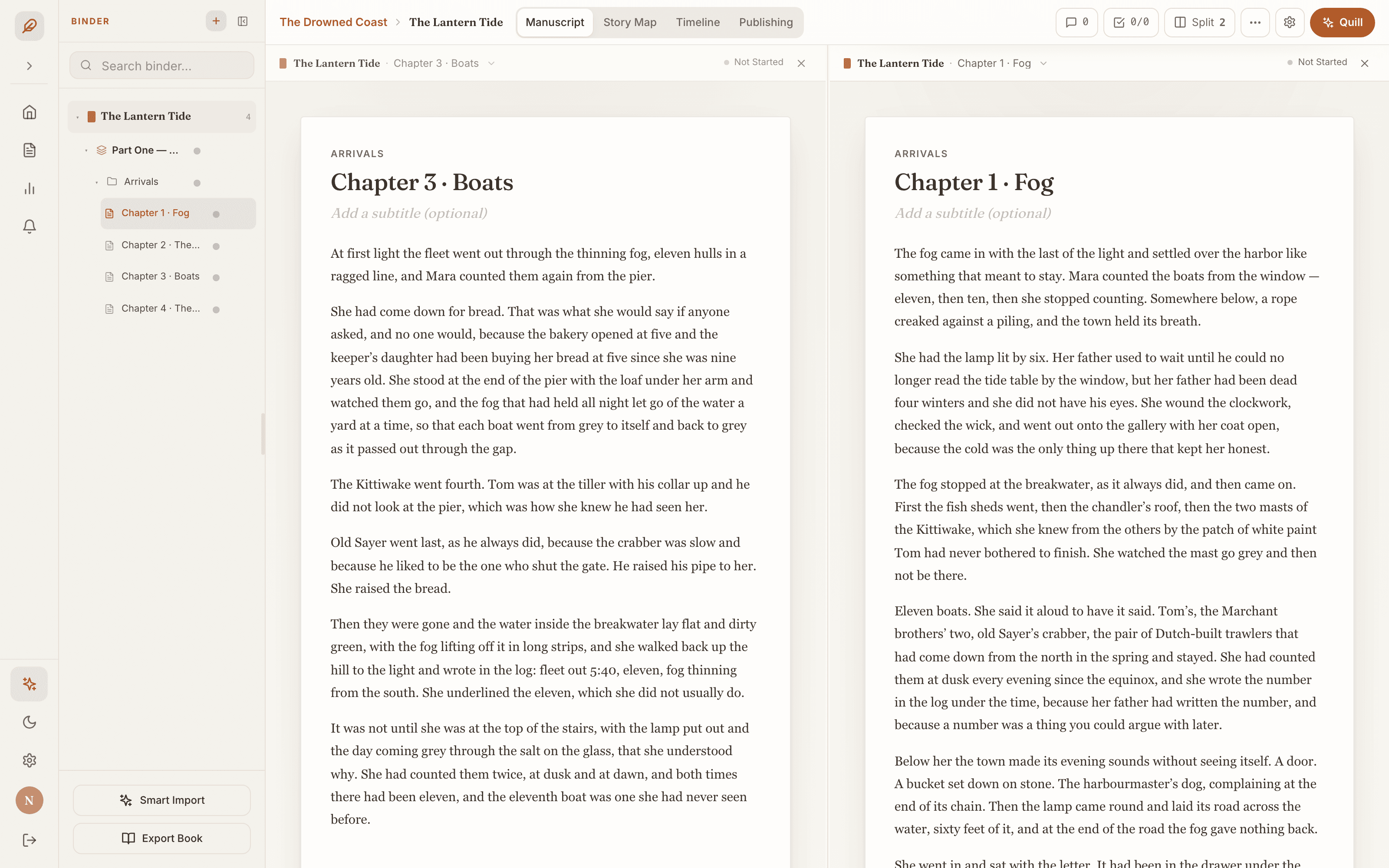
Chapter three, beside chapter one.
Split the studio into up to three sessions side by side on a wide screen, each with its own place in the outline and its own Quill thread.
A studio for writers
Quillx is the studio where a manuscript goes from first outline to the storefront. Draft it on a page that stays out of the way. Map it. Keep the canon straight across a whole series. Then export the exact files the stores accept.
14 days free on Personal · card required · $9.99/mo plus tax after · nothing to install
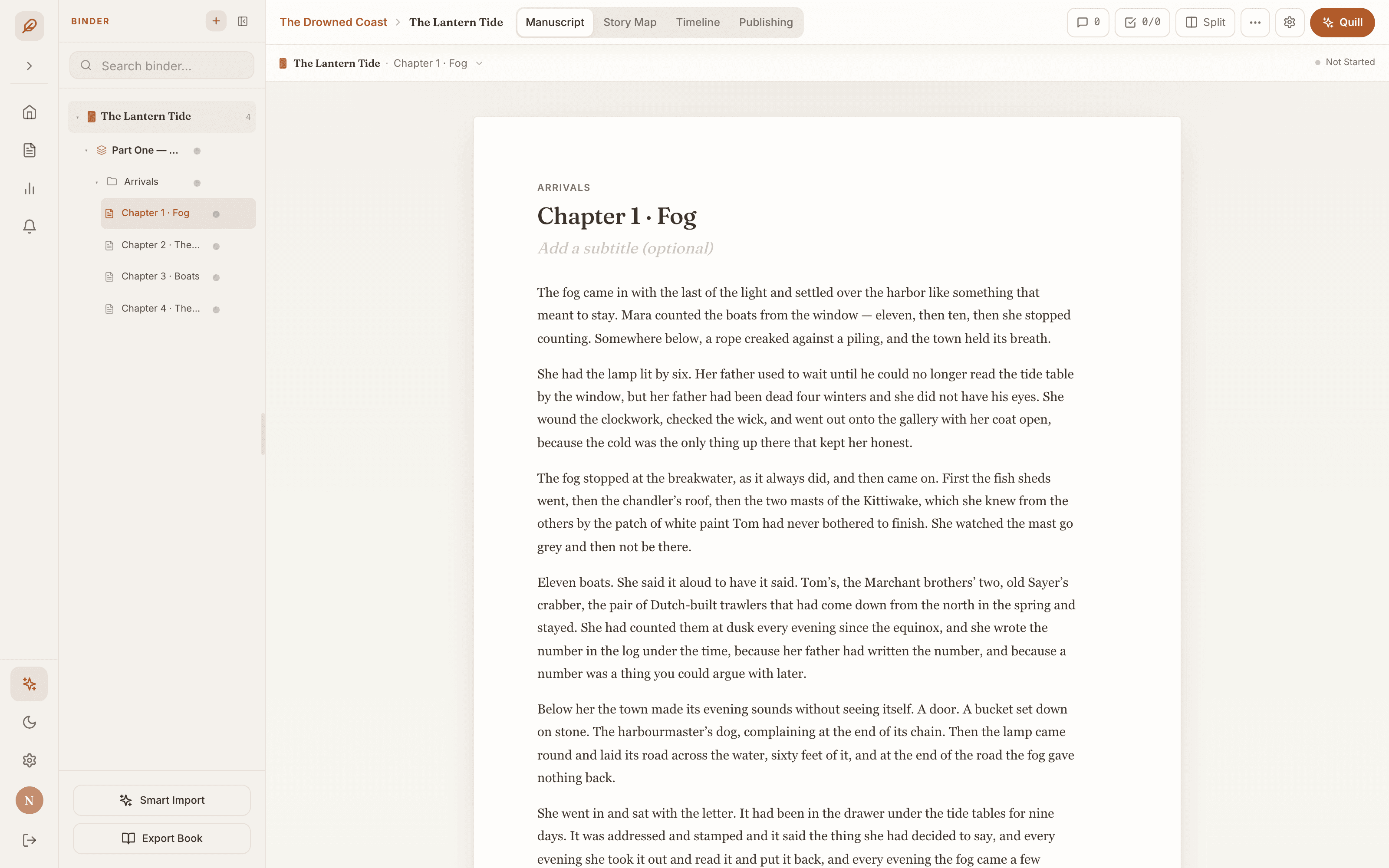
Most writing apps are a page with a word count. Quillx is a studio. A Binder for the structure, a Story Map for the shape, a Series Bible for the canon, Quill for the hard questions, and a Publishing Hub for the way out the door. One place, from the first line to the shelf.
The studio
Every screen below is the real product, not a rendering. Scroll, and the stage follows the chapter you are reading.
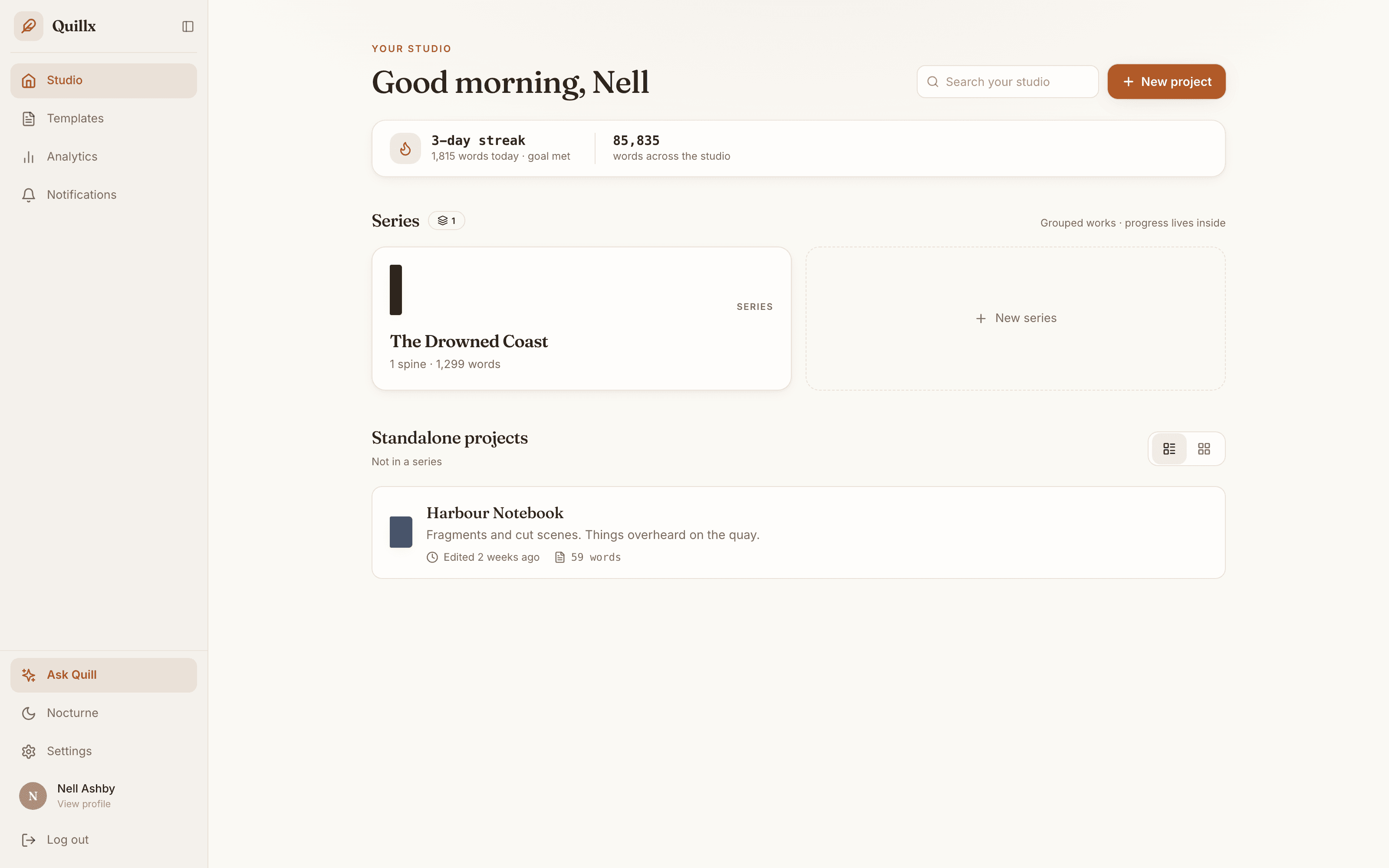
01 · The Studio
Open Quillx and the studio is already laid out: your series, your standalone projects, your streak and the day's count. It is a shelf, not a settings page.
02 · The Page
Warm paper, a serif you'd choose on purpose, and the Binder beside it: parts, chapters and scenes you drag into order. It saves as you type, and Book Mode shows the pages the way a reader will see them.
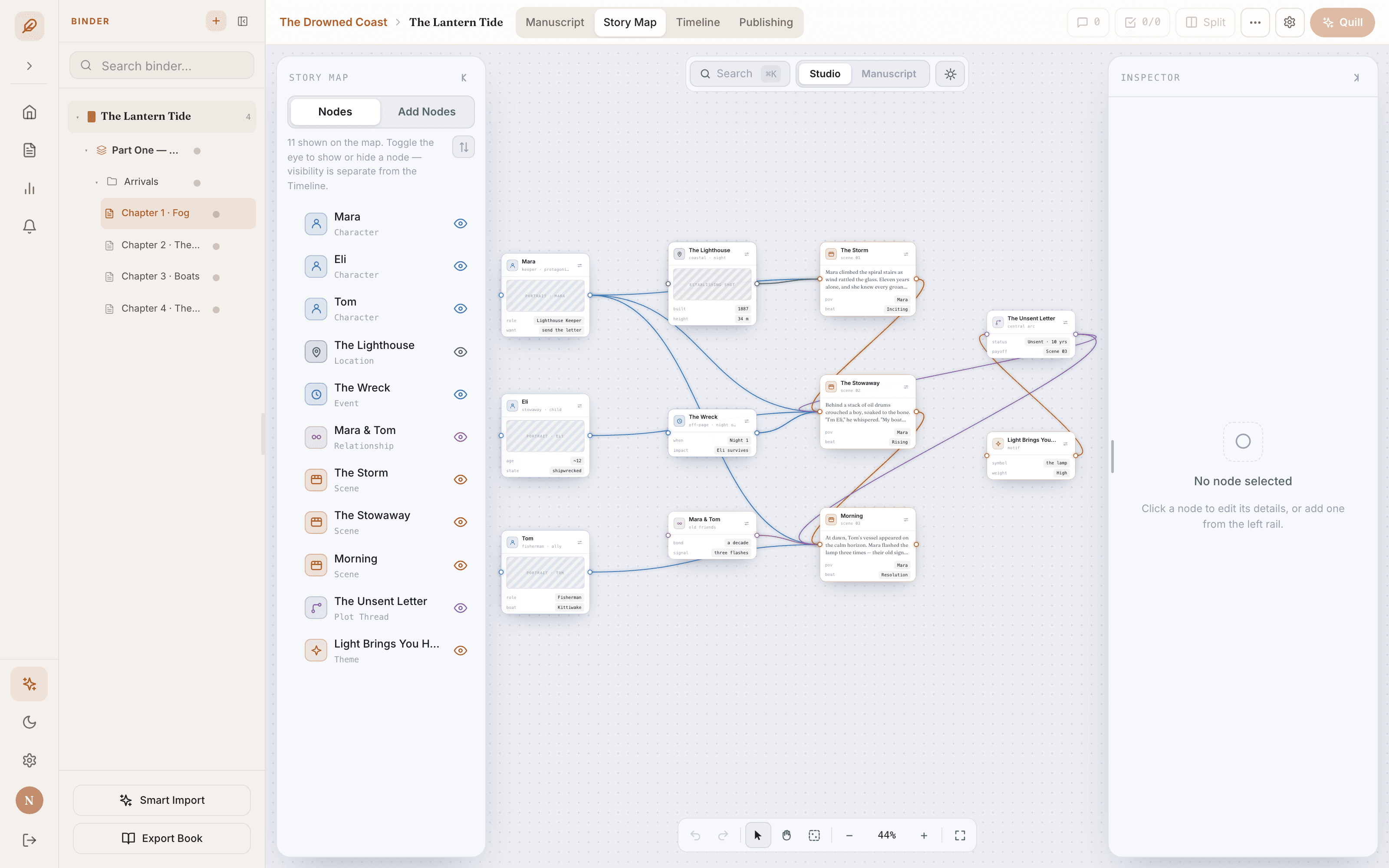
03 · The Story Map
Characters, locations, scenes, events, relationships, plot threads, themes and types of your own, as cards you connect and drag into place. An inspector holds the details; the Timeline puts the scenes in order.
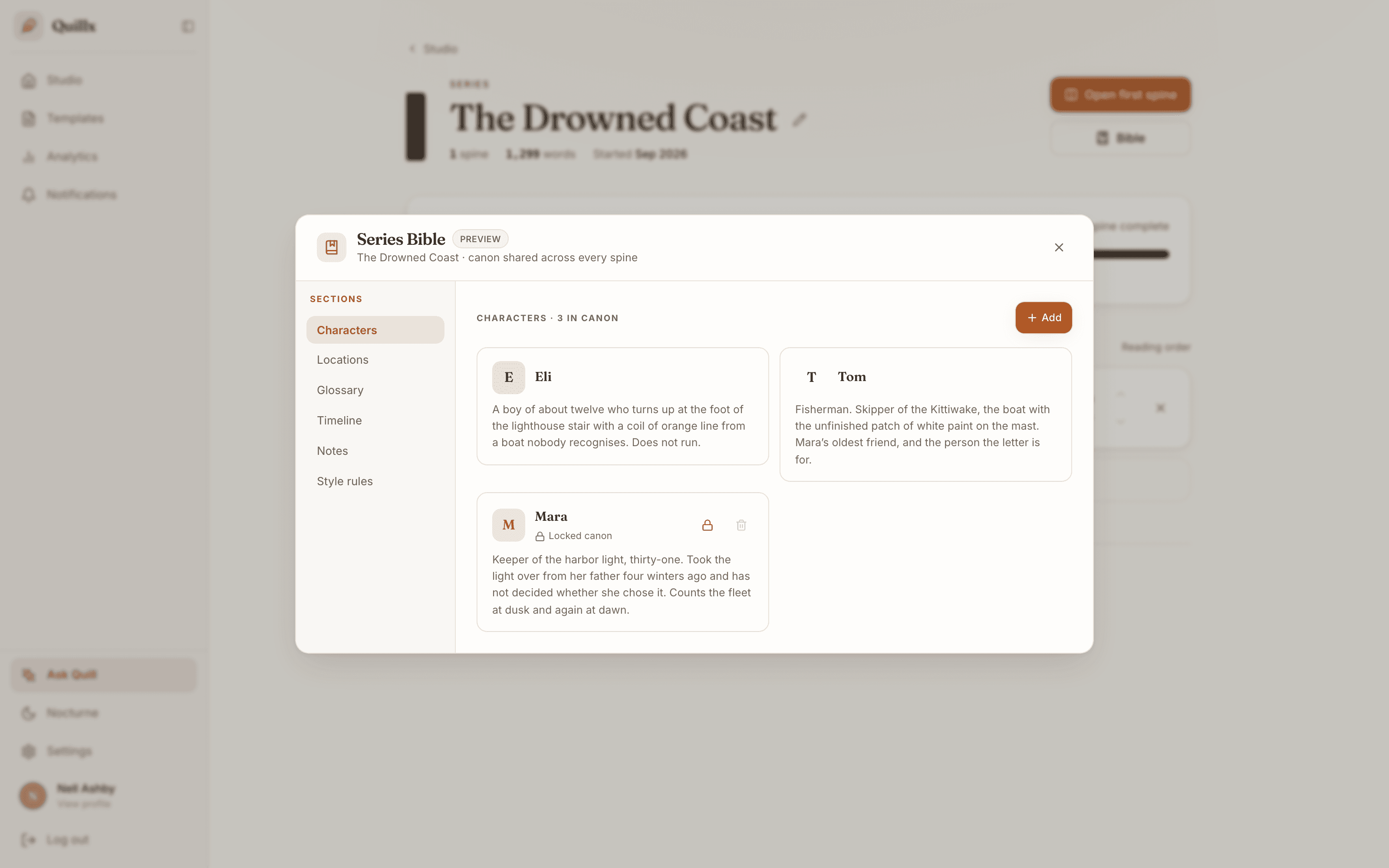
04 · The Series Bible
Group a series and its characters, places, glossary, timeline, notes and style rules live in one bible shared by every spine. Lock an entry as canon and it stays until someone unlocks it.
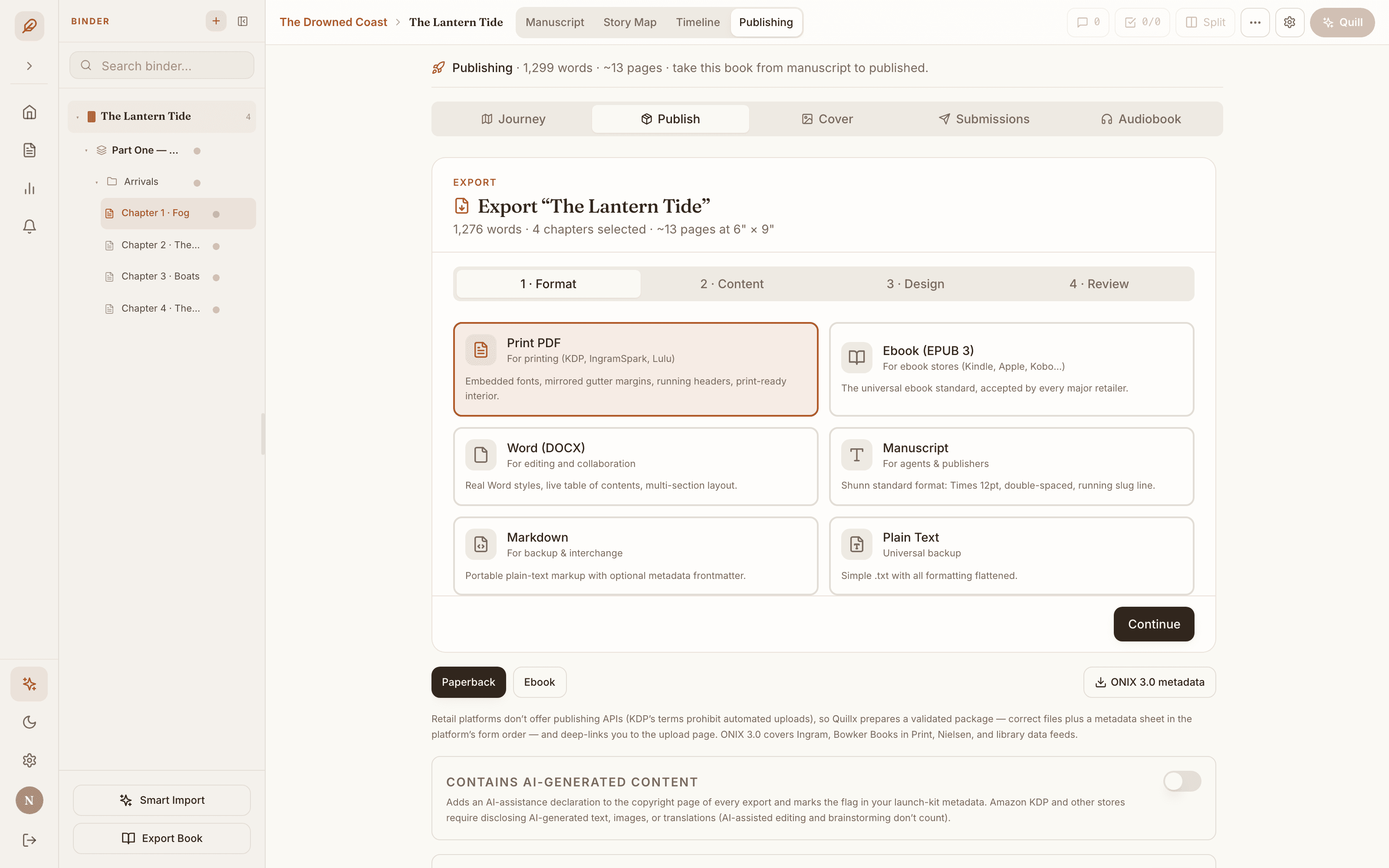
05 · Publishing
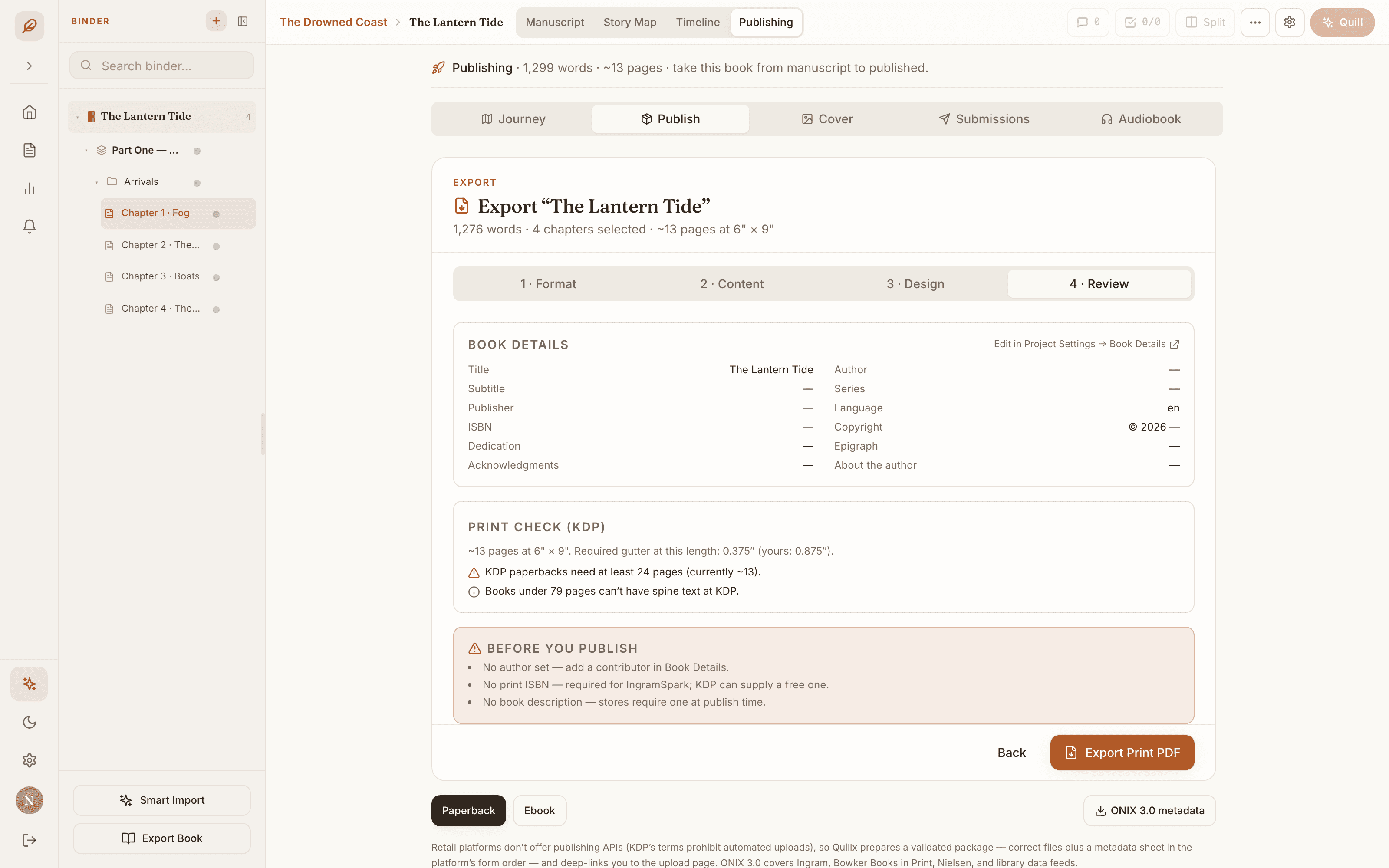
Six export formats, a print check against KDP's interior rules, launch kits for six stores, a cover studio, ARC copies, submissions and an audiobook script. One Publishing view, five tabs.
01 · The Studio · Every book, every series, today's words.
Closer
Split the studio into up to three sessions side by side on a wide screen, each with its own place in the outline and its own Quill thread.
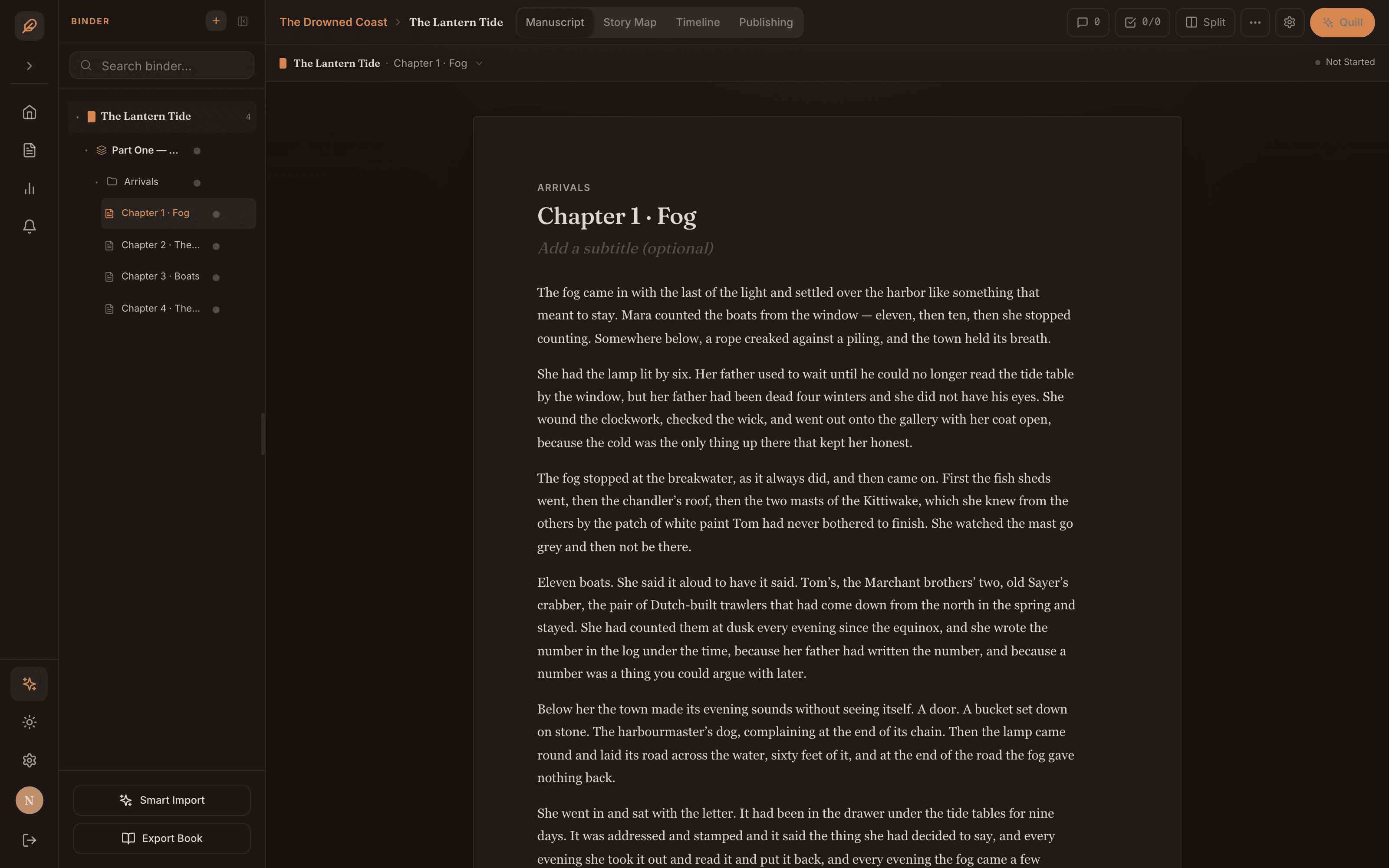
A dark study for late pages. One click on the rail, and the whole studio follows.
Daily, weekly and monthly goals, streaks and nineteen badges, counted as you write and shown on the shelf.
Lock a bible entry or a Story Map card as canon and it can't be deleted until it is unlocked.
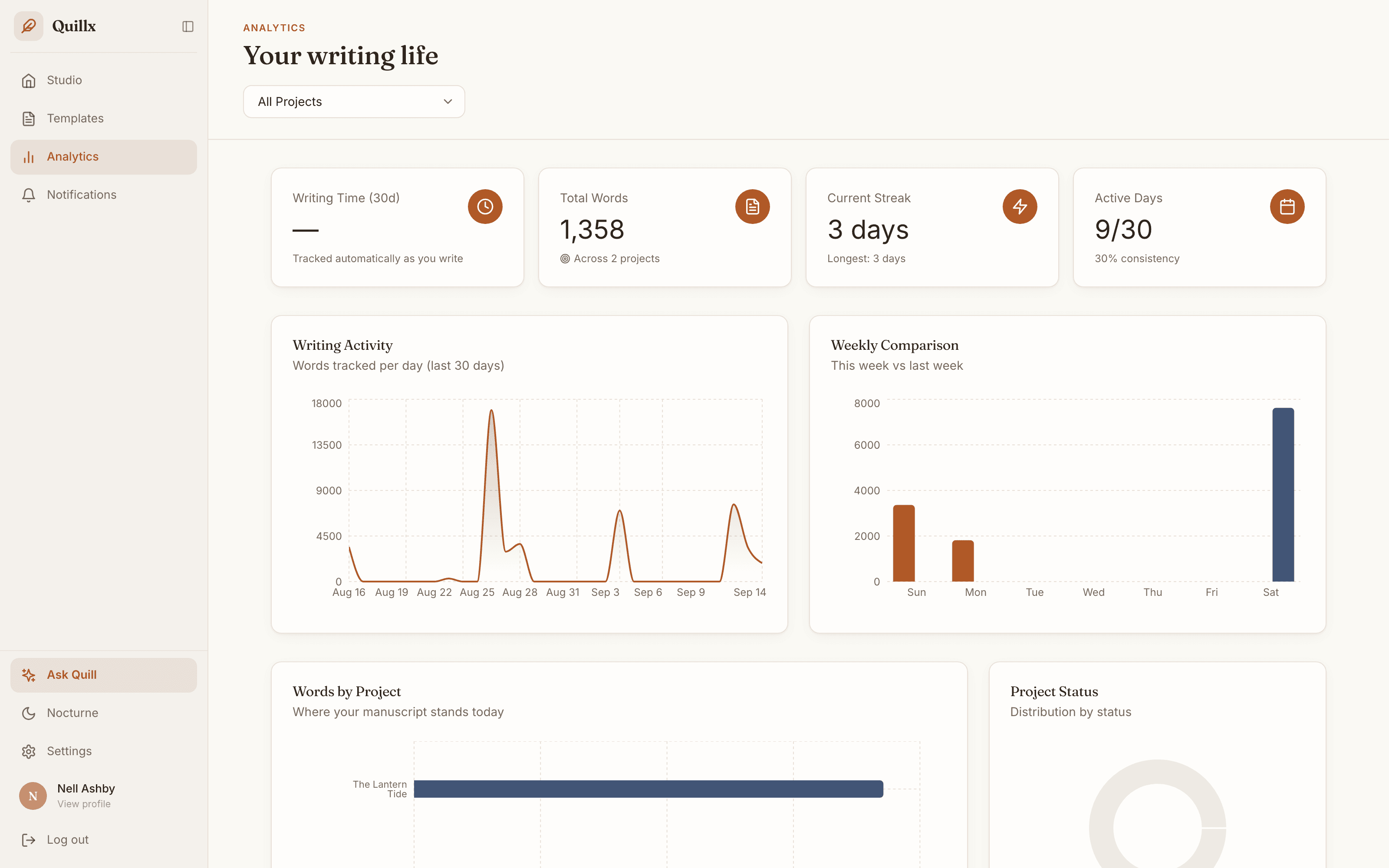
Words per day, this week against last, and where every project stands.
Collaboration · included with Plus
Invite anyone to a project by email. They open the same Binder, the same chapters and the same Story Map you do, and every change they make shows up for you as it is saved.
Collaboration is unlocked by the project owner's plan. The people you invite need a Quillx account on any plan, and Personal is enough; joining your project costs them nothing extra.
Quill · included with Pro
Point Quill at the chapters or bible sections you are working on and ask what a careful reader would: whether the timeline holds, where a scene drags, what a character would never say. It answers from your pages, not from a summary of them.
Quill is an editor and a teacher, never a ghostwriter. It proofreads, checks consistency, gives feedback and explains the craft, and every word of the book stays yours.
The Quill button sits top right of every page and opens a thread beside the chapter.
Quillx never trains models on your writing, and our Anthropic and OpenAI accounts have training data sharing switched off. Quill tells you it is an AI, and it can be wrong.
Publishing Hub
Retail platforms don't offer publishing APIs, so Quillx does the next best thing: it prepares exactly the files and metadata each store asks for, checks them, and deep-links you to the upload page.
For KDP, IngramSpark and other printers
Embedded fonts, mirrored gutter margins, running headers. Print-ready interior.
For Kindle, Apple Books, Kobo and every ebook store
The universal ebook standard, accepted by every major retailer.
For editing and collaboration
Real Word styles, a live table of contents, multi-section layout.
For agents and publishers
Shunn standard format: Times 12pt, double-spaced, running slug line.
For backup and interchange
Portable plain-text markup with optional metadata frontmatter.
Universal backup
A simple .txt with all formatting flattened.
Launch kits for Amazon KDP, IngramSpark, Draft2Digital, Apple Books, Kobo Writing Life and Google Play Books
ONIX 3.0 metadata for Ingram, Bowker and library feeds
Cover studio: spine calculator for KDP, IngramSpark and Lulu, template PDF, ISBN barcode, wraparound cover composer
Watermarked ARC copies, one EPUB per early reader
Submission tracker, a query-letter scaffold, and the Shunn manuscript agents ask for
Audiobook narration script, runtime estimate, and a loudness and noise-floor check of your recording against the ACX spec
An AI-assistance declaration on the copyright page, when a store requires it
Built for the long book
Export every format at any time. No proprietary file, no lock-in, no waiting.
Every project is protected by row-level security in the database. Only you and the people you invite can open it.
Quillx does not train AI models on your writing, and training data sharing is switched off at both providers.
Quill never writes your book. It proofreads, asks and teaches; every word on the page is yours, and every correction waits for your yes.
Pricing
Billed monthly in US dollars, plus applicable tax. Cancel anytime before your plan renews, from Profile → Plan & billing in the app. Create your account, then choose a plan in Quillx; checkout is handled by Stripe. If you live in the EU, EEA or UK, you have a 14-day right of withdrawal, explained in the Terms.
You and the book.
$9.99/mo
Free for 14 days, then $9.99/mo plus tax · card required · cancel before the trial ends and pay nothing
Bring your people.
$19.99/mo
Billed monthly, plus tax · cancel anytime before it renews
Quill, your editor.
$29.99/mo
Billed monthly, plus tax · cancel anytime before it renews
Studios, publishers and teams. Everything in Pro, seats to fit your business, terms agreed per contract.
Collaboration features are unlocked by the project owner's plan; invited writers and editors need their own plan, and Personal is enough. AI credits are Pro's monthly allowance. One credit is one cent of model usage at the providers' list prices, and top-ups are $9.99 for 500, plus applicable tax.
Fair questions
Straight answers to the things writers ask us before they start. Anything else: support@quillx.co.
14 days free on Personal · card required · $9.99/mo plus tax after